Navigating the VCF 9.1 Upgrade: A Blueprint for Infrastructure Teams
Meta Description: Upgrading to VMware Cloud Foundation (VCF) 9.1 from 9.02? Discover the architectural changes, required prerequisites, and the exact multi-phase execution order needed for a successful migration.
Executive Summary
The shift to VMware Cloud Foundation (VCF) 9.x represented a fundamental overhaul of how private cloud infrastructure is aggregated and managed. With the release of VCF 9.1, Broadcom has structurally evolved the underlying operational plane yet again. If you are running a VCF 9.02 environment today, jumping to 9.1 is not a simple “click-to-update” patch cycle.
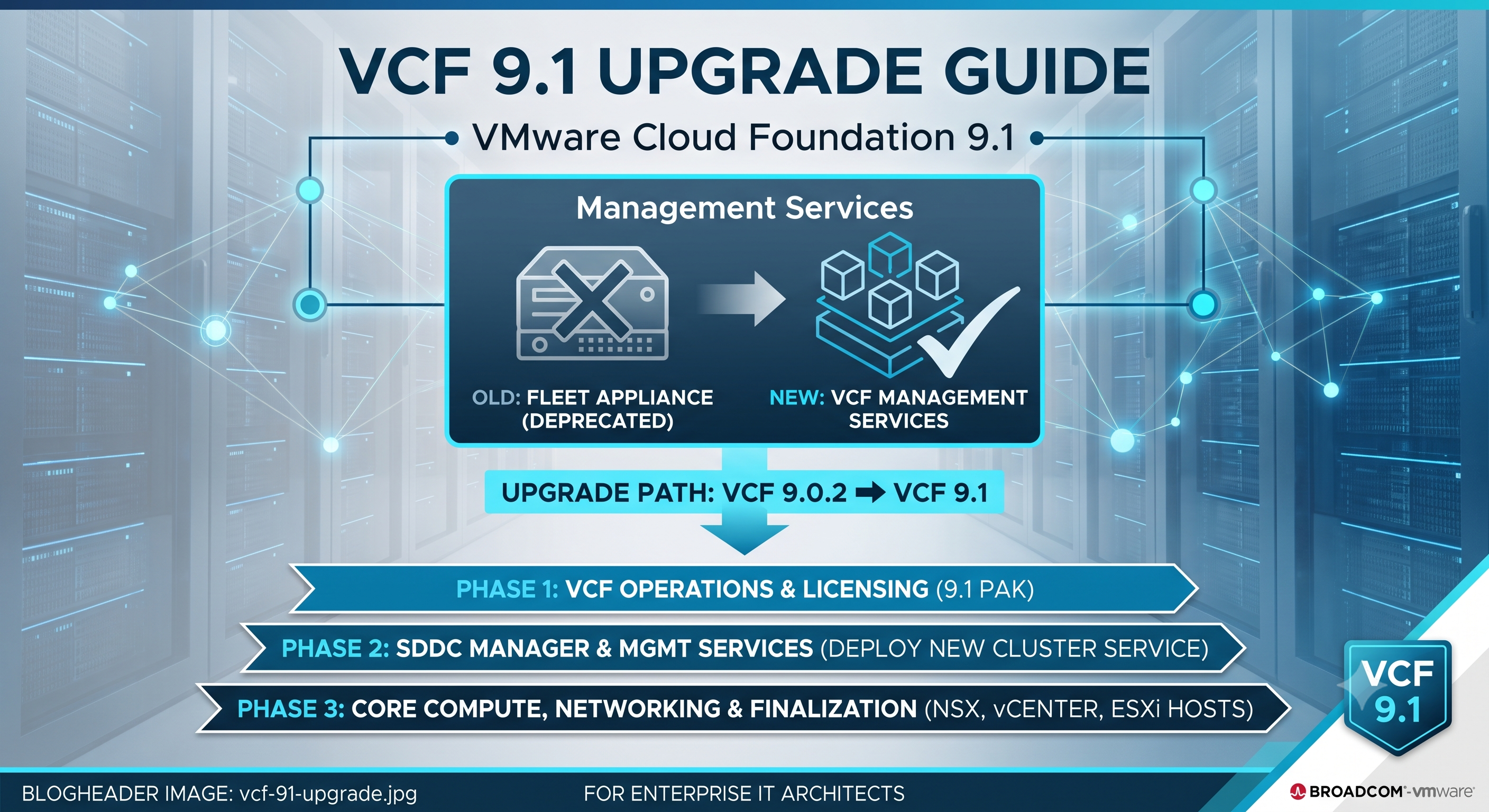
VCF 9.1 introduces a containerized microservices framework known as VCF Management Services, while completely deprecating the standalone Fleet Management Appliance introduced in 9.0. Successfully navigating this upgrade requires strict adherence to a new lifecycle sequence—moving from operations management down to core hypervisor compute. This guide provides data center architects and sysadmins with a practical blueprint to execute this transition, secure the environment, and maintain operational stability throughout the lifecycle window.
The VCF 9.1 Architectural Paradigm Shift
Before executing a single precheck, enterprise architects must understand the underlying structural changes introduced in version 9.1. Broadcom has moved away from traditional standalone VMs for management tooling and instead adopted an integrated service layer hosted natively on the management domain.
Decommissioning the Fleet Management Appliance
In VCF 9.02, lifecycle operations relied heavily on the standalone Fleet Management Appliance. In VCF 9.1, this appliance is completely phased out. Its roles are split into containerized microservices—namely Fleet Lifecycle and SDDC Lifecycle—which run natively inside the new VCF Management Services framework.
Network and Component Technical Specifications
Deploying this updated management plane requires planning for additional infrastructure footprints. Before initiating the upgrade path, ensure your management environment satisfies these technical requirements:
- IP Address Allocation: A minimum of 12 available IP addresses must be carved out on the management network to handle the initial deployment of VCF Management Services. For highly available, scaled-out environments, up to 30 IPs should be reserved.
- Internal Service Overlay: The VCF services runtime consumes an internal non-routable IP range of
198.18.0.0/15by default. Architects must ensure this does not overlap with existing corporate networks, or override it via custom JSON configuration files during the deployment phase (240.0.0.0/15or250.0.0.0/15). - VCF Identity Broker Integration: Starting with 9.1, the VCF Identity Broker is a mandatory dependency. If your existing 9.02 identity broker resides on an NSX overlay or a non-management VLAN, it must be migrated to the standard VM Management network before beginning the lifecycle execution.
- Log Management Consolidation: Separate Aria Log Insight instances are consolidated directly into VCF Log Management services, transforming logging from an external appliance into a native core cluster service.
Phase-by-Phase Upgrade Execution Order
Because VCF 9.1 transfers control of the SDDC stack to the new containerized management plane, the upgrade sequence must be executed in a precise, bottom-up order. Deviating from this order can leave the SDDC Manager out of sync with its underlying inventory.
Phase 1: VCF Operations & License Appliance
The upgrade begins at the operations tier. Unlike older VCF iterations where SDDC Manager controlled the initial orchestrations, the VCF 9.x lifecycle flow starts within the operations interface.
- Download the VCF Operations 9.1 upgrade
.pakfile from the Broadcom Support Portal. - Log into the VCF Operations administrator console (
/admin), take the cluster offline, and stage the software update using the.pakfile. - During the update process, the system will prompt you for the root password of the legacy Fleet Management VM. Providing this triggers the automated data migration phase, after which the old Fleet Management appliance is safely powered off.
- Once VCF Operations returns online, deploy the lightweight VCF License Appliance OVA via the updated user interface to handle cloud entitlement syncing.
Phase 2: SDDC Manager and Management Services
With the operational layer running version 9.1, the next step bridges the legacy management tooling over to the new architecture.
- Navigate back to the traditional SDDC Manager web console.
- Run the integrated upgrade prechecks specifically for SDDC Manager. Once clean, execute the update to elevate SDDC Manager to 9.1.
- Return to the VCF Operations Lifecycle view. You will be greeted by a new wizard prompting you to Deploy Management Services.
- Input the reserved IP pool (using explicit CIDR notation) and map your required FQDNs for the runtime services. This step spins up a temporary bootstrap VM to stand up the new containerized environment across your management cluster.
Phase 3: Core Compute, Networking, and Finalization
Once the new VCF Management Services layer successfully assumes control of the environment inventory, you can safely update the underlying infrastructure components.
- NSX Manager Nodes: Initiate the NSX upgrade via the Lifecycle Management tab. In VCF 9.1, this is a two-stage process. The manager nodes are updated first, decoupled from the traditional bulk cluster update.
- vCenter Server: Update the management vCenter. Architects can choose between a standard in-place upgrade or the reduced-downtime hot-swap method depending on maintenance window allowances.
- ESXi Hosts: Upgrade the hypervisor layer. Note that vSphere Lifecycle Manager (vLCM) baselines are completely unsupported under VCF 9.x. All clusters must be actively managed via vLCM Images prior to host remediation.
- NSX Edges and Data Plane: Conclude the lifecycle window by updating the NSX Edge clusters and executing the final VDS (vSphere Distributed Switch) and vSAN file system upgrades.
Conclusion and Operational Takeaways
Upgrading to VCF 9.1 marks a mature step forward for VMware private clouds, but it introduces a higher volume of manual coordination and strict prerequisite planning than previous lifecycle iterations. For enterprise IT directors and sysadmins, success depends entirely on pre-allocation of the network space, validating DNS forward/reverse lookups for the new services cluster, and guaranteeing a clean backup state before initiating Phase 1.
By taking the time to carefully align your management network topologies with the new containerized services model, you ensure a stable, highly performant private cloud foundation built for long-term scalability.